Why Pinterest Videos Look Blurry — and How to Get Them in Full Quality
You tap a Pinterest video — a recipe, a DIY build, a workout — and it looks like it was filmed through a steamed-up window. Text on screen is unreadable. Faces are smudges. You wait, thinking it’ll sharpen up. It doesn’t.
On YouTube you’d tap the gear icon and force 1080p. Pinterest doesn’t give you that button. So when a video looks bad, most people assume the upload itself was bad. Sometimes it was. But more often, the sharp version exists — your phone just never asked for it.
This guide covers what’s actually happening: how Pinterest decides the resolution you see, the three settings that change it, and how to pull the highest-quality file straight off Pinterest’s servers when you want to keep a video. PintoDownload is the free tool we’ll use for that last part — it grabs the best version Pinterest is serving, no app or account needed.

The video you’re watching isn’t the video that was uploaded
This is the single fact that explains most blurry Pinterest videos. When a creator uploads a video, Pinterest doesn’t store one file and stream it. It re-encodes the upload into multiple versions — different resolutions, different bitrates — then picks which one to send you based on your connection, your data settings, and how big the video appears on your screen.
Drop to a weak signal for a few seconds and Pinterest quietly switches you to the 360p or 480p copy. The annoying part: it doesn’t always switch you back when your signal recovers. You can be sitting on full Wi-Fi bars watching a stream that got stuck at low resolution two minutes ago.
There’s also a ceiling nobody can get past. Pinterest compresses uploads during processing — a crisp 1080p original can end up stored at 720p. Once that detail is discarded, no setting, app, or downloader on earth brings it back. The sharpest version you’ll ever see is the best copy Pinterest kept, not the file that left the creator’s camera.
Why there’s no quality button (and the three things that replace it)
Pinterest decided your quality for you. Three inputs drive the decision:
- Connection speed. Slow or unstable network? You get the lighter stream so playback doesn’t stall. This is the #1 cause of surprise blurriness — a video that looked fine at home turns to mush on a shaky café connection.
- Data saver settings. If data saving is on — in the Pinterest app, in your phone’s system settings, or both — videos stream at reduced quality on purpose. Plenty of people turn this on once and forget it exists.
- How big the video is on screen. Scrolling your feed, you’re watching tiny autoplay previews in grid cells. Pinterest deliberately serves those at low resolution because your screen physically can’t show more detail at that size. They are supposed to look soft. Tap the Pin to open it full-screen and the player requests the higher-quality copy.
That third one trips people up constantly. Judging quality from the feed preview is like judging a photo from its thumbnail — open the actual Pin before concluding anything.
What you can actually change
No quality picker, but you do have real leverage. Here’s where it lives:
In the Pinterest app (Android and iPhone)
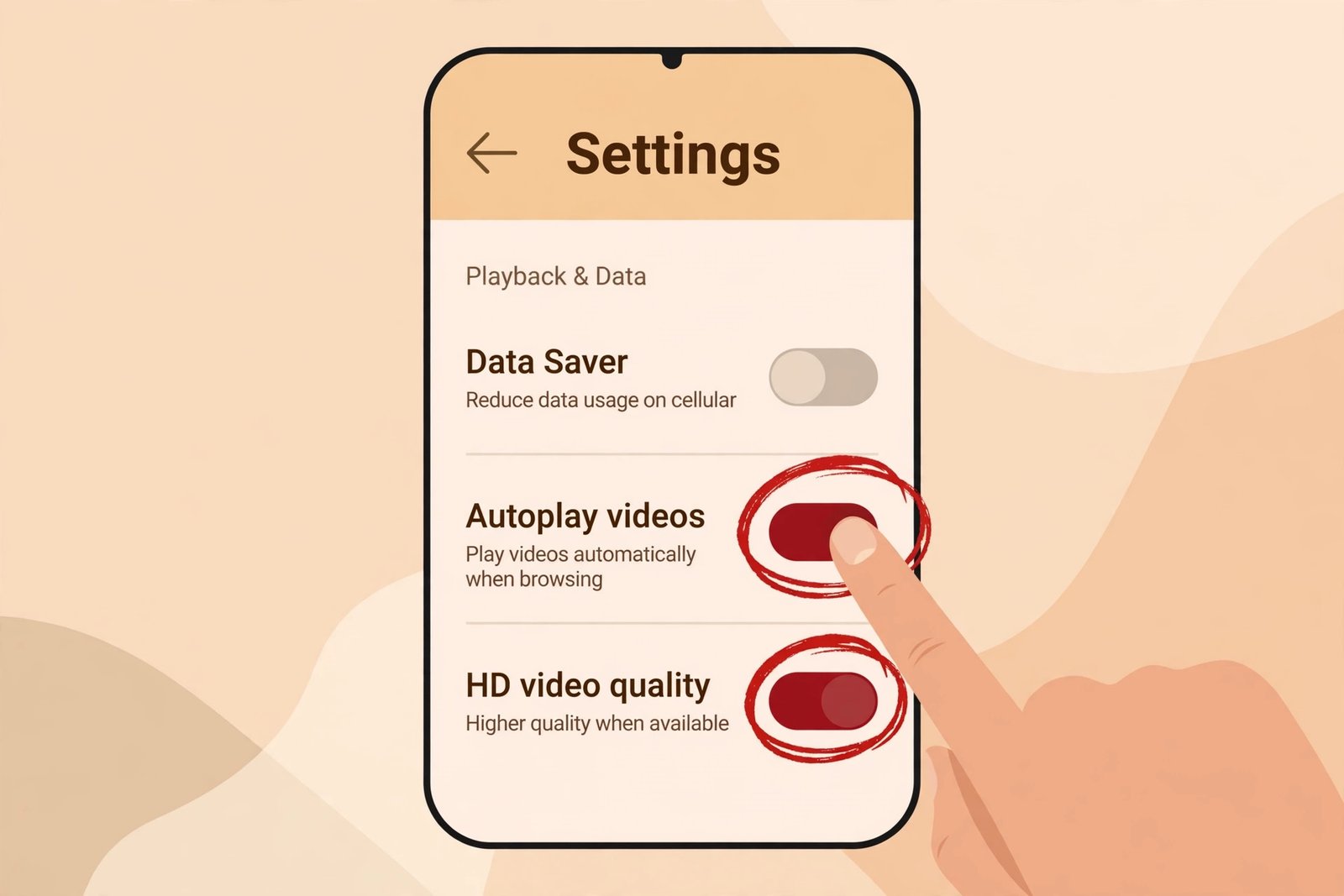
- Kill data saver. Profile → Settings → look for data usage or data saver options and turn them off, at least on Wi-Fi. This single toggle fixes more “blurry Pinterest” complaints than everything else combined.
- Let videos autoplay on Wi-Fi. When autoplay is allowed on Wi-Fi, the app pre-buffers better-quality streams instead of starting every video from the lowest tier and climbing.
- Prefer Wi-Fi for anything you care about. The same Pin can look visibly sharper on Wi-Fi than on weak mobile data — the adaptive player reads your connection in real time.
- Clear the app cache when quality gets “stuck.” A stale cache can keep serving you yesterday’s low-quality copy. Clearing it in your phone’s app settings forces fresh streams.
On desktop (pinterest.com)
The website gives you even less — no quality controls at all. What works: a fast stable connection, no VPN throttling your bandwidth, and hardware acceleration enabled in your browser so HD decodes smoothly. And click the video to expand it rather than watching the grid preview.
If you’re the one uploading
Quality starts at export. Upload vertical video at 1080×1920 (or 1080×1080 square), use a high bitrate, and upload over a stable connection — Pinterest compresses everything, but a clean high-bitrate source compresses gracefully while a weak source falls apart. And never re-upload a video you downloaded from TikTok or Instagram: each re-encode generation throws away detail you can’t get back.
The 30-second routine for the sharpest playback
When a video matters — a tutorial you need to actually read text from — do this:
- Get on fast Wi-Fi.
- Tap the Pin to open it full-screen (never judge the feed preview).
- Pause for a few seconds and let it buffer — adaptive players start low and climb.
- If it’s still soft, check data saver. It’s the culprit more often than people expect.
Still blurry after all four? Then the problem is upstream: the original upload was low quality, or Pinterest’s compression ate the detail. Your device can’t fix that. But a downloader can at least guarantee you end up with the best copy Pinterest has, instead of whatever the adaptive player felt like serving.
Downloading gets you the best copy Pinterest has
Here’s the part most people miss: downloading bypasses the adaptive player entirely. A proper downloader doesn’t record your screen or capture the stream — it requests the source file from Pinterest’s servers. That means the highest-resolution copy on file, typically the same 720p or 1080p master the full-screen player would eventually reach, without the network-dictated downgrades along the way.
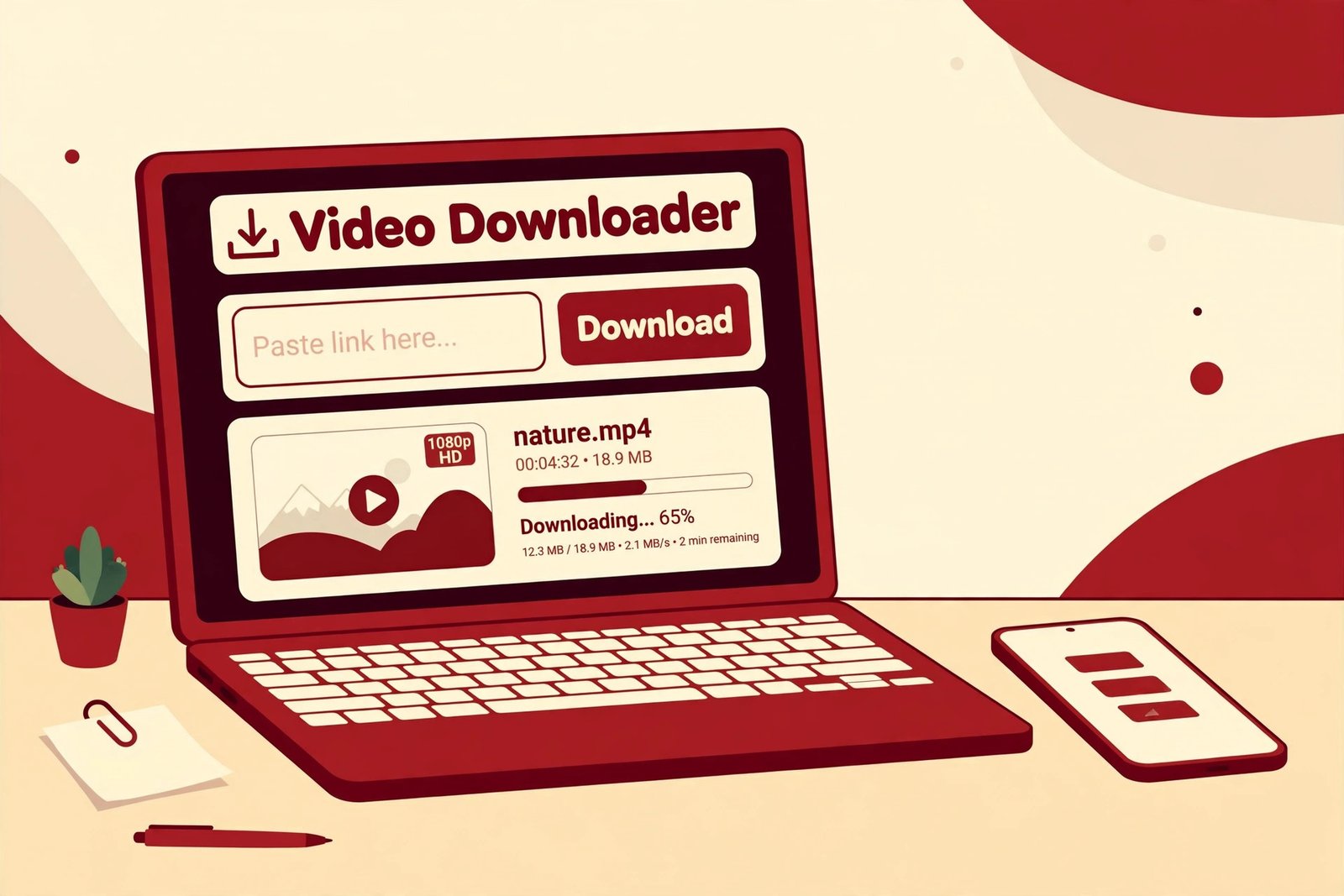
PintoDownload does exactly this. Paste any public Pinterest video link and it pulls the best available version as a standard MP4 — no app to install, no account, nothing watermarked onto it. Three steps:
1. Copy the video’s link
In the Pinterest app, tap Share on the video Pin and choose Copy link. On desktop, copy the URL from your address bar. Short pin.it links work fine.
2. Paste it into PintoDownload
Open pintodownload.com in any browser — Chrome, Safari, Edge, Firefox — and drop the link into the download box.
3. Save the HD file
Hit download. What lands on your device is the best version Pinterest is serving for that Pin, as an MP4 — phone gallery, computer, tablet, wherever you want it. No re-encoding, no quality lost in transit.
For walkthroughs with screenshots on specific devices, see our guides to downloading Pinterest videos on Android and downloading Pinterest videos on PC.
480p vs 720p vs 1080p — what you’re actually looking at
| Label | Pixels (16:9) | Rough size per minute | When it matters |
|---|---|---|---|
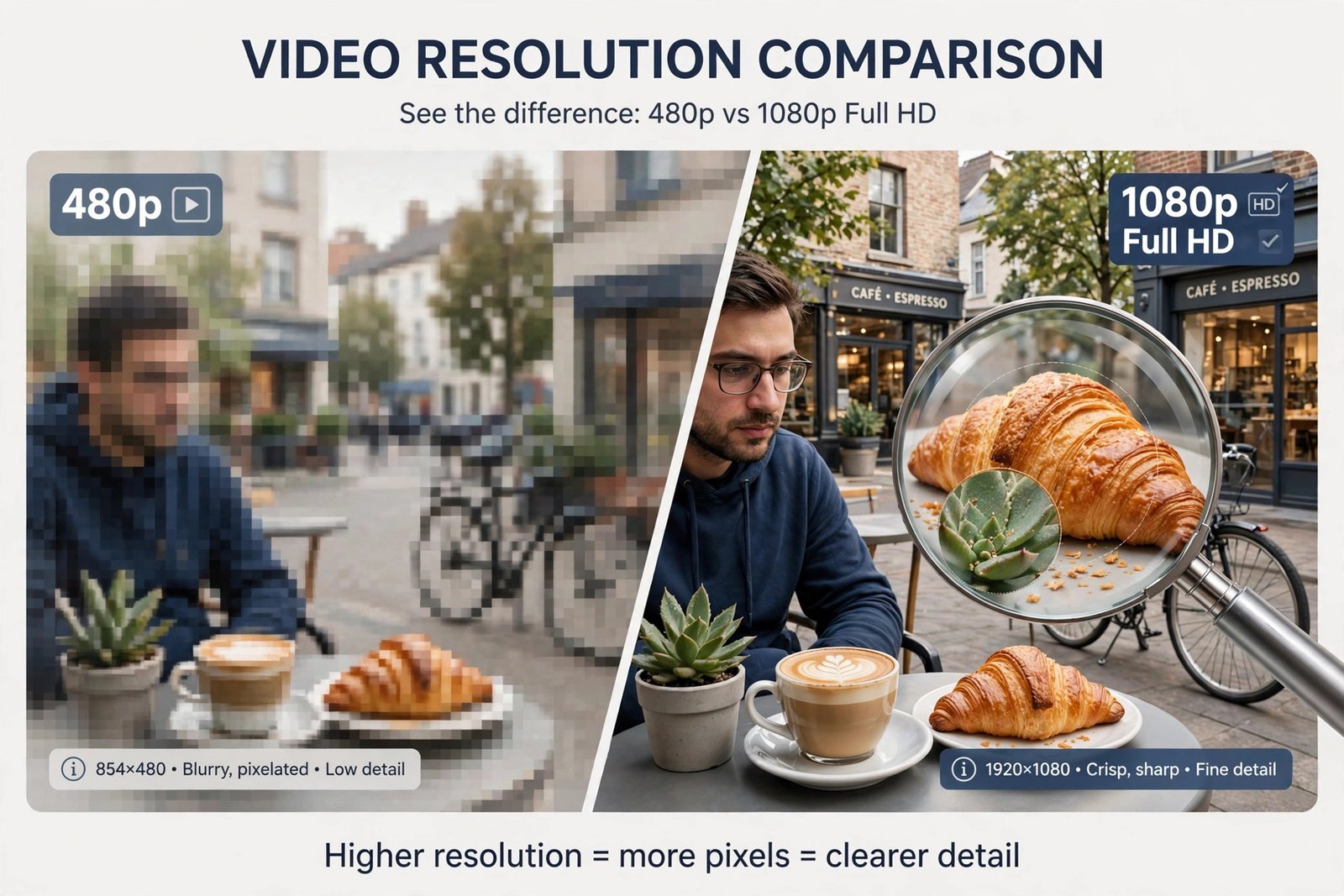
| 480p (SD) | 854 × 480 | 5–10 MB | Fine for tiny previews; painful for anything with text |
| 720p (HD) | 1280 × 720 | 15–25 MB | Good enough for most phone viewing |
| 1080p (Full HD) | 1920 × 1080 | 30–60 MB | Tutorials, text overlays, big screens, anything you’ll rewatch |
Two things the labels don’t tell you. First, vertical video flips the numbers: a “1080p” 9:16 Pin is 1080 × 1920 — same pixels, rotated to fill your phone. Second, bitrate matters as much as resolution. A healthy high-bitrate 720p file can look sharper than a starved, over-compressed 1080p one. The resolution number is only half the story; how much data is behind each pixel is the other half.
Downloaded it and it’s still blurry? Here’s why
Run this list top to bottom — it’s ordered by how often each cause is actually responsible:
- The upload itself was low quality. The #1 reason, by a mile. If the creator posted a 480p screen recording, then 480p is the best version in existence. No downloader invents pixels that were never uploaded.
- Pinterest compressed it. A 1080p original stored at 720p after processing. The file you downloaded is the best copy — it’s just not the camera original.
- It’s a re-upload. Videos reposted from TikTok or Instagram were compressed twice before Pinterest ever saw them. Baked-in watermarks from those platforms are part of the pixels; downloading can’t remove them.
- Your player is downscaling. Some gallery apps render video below its actual resolution. Play the file in VLC to check before blaming the download.
- You screen-recorded instead of downloading. A screen recording captures a compressed stream at display resolution — always worse than the direct MP4. Download the file.
Same “best copy on file” logic applies to photos, by the way — our HD image download guide walks through that side.
Questions people actually ask
Does Pinterest have a video quality setting?
Not a manual one — no 360p/720p/1080p toggle anywhere. Playback quality is automatic, driven by connection speed, data saver settings, and screen size. The closest thing to a “quality setting” is turning data saver off and getting on Wi-Fi.
What’s the highest quality a Pinterest video can be?
Uploads can exceed 1080p, but Pinterest compresses everything in processing — so what’s actually served is usually 720p or 1080p depending on the Pin. Whatever Pinterest stored is the ceiling.
Why are Pinterest videos blurry on my phone specifically?
Almost always one of three: data saver is on, you’re on a slow connection so the adaptive player served a low-res stream, or you’re watching the feed preview instead of the full-screen Pin. Fix order: data saver off, Wi-Fi on, tap to expand.
Can I download Pinterest videos in HD?
Yes, if the downloader fetches the source file rather than capturing the stream. PintoDownload pulls the highest-quality version Pinterest is serving — typically 720p or 1080p — as a clean MP4.
Does downloading lower the quality?
No. You receive the exact file Pinterest is serving. But nothing can exceed what Pinterest stored: if a 1080p upload was compressed to 720p, 720p is the ceiling for everyone.
Do story Pins download at the same quality?
Same rules — every slide’s video or image comes down at the best version on file. Multi-page story Pins save as separate segments; our story Pins guide has the full walkthrough.
The short version
Pinterest never gave you a quality button, so it gave you a system instead: fast connection, data saver off, watch full-screen. Learn to read that system and blurry videos stop feeling random. And when you want to keep one, skip the stream entirely — download the source file and hold the best copy Pinterest has.
PintoDownload fetches that best copy in seconds. Free, no app, no account. Paste a link, save the MP4, and stop squinting.