
Save Pinterest Videos to Reddit: Free Guide 2026
I was scrolling r/DIY last Wednesday when I saw the exact soap-making video I’d saved on Pinterest the week before — posted by someone else, 2,400 upvotes, and half the comments asking where it came from. The original creator’s name was nowhere in the post. That is the whole problem with moving a video from Pinterest to Reddit in one sentence: the download is the easy half, and the posting is where people get it wrong.
There is no button for it anywhere. Pinterest will not send a video to Reddit, and Reddit will not fetch a video from Pinterest. So you do it in two parts: first you pull the real MP4 file off Pinterest, then you upload that file to Reddit as a video post. This guide shows you how to save Pinterest videos to Reddit the way that actually works in 2026 — the download, the upload on desktop and on the app, the limits Reddit enforces, and the unwritten rules that decide whether your post stays up or gets removed by a moderator ten minutes later.
The short version: open the video Pin, tap Share, copy the link, paste it into PintoDownload, download the MP4, then open Reddit, hit Create Post, choose your community, pick “Image & Video”, upload the file, write a title that credits the creator, and post. The full steps — with the file-size and timing numbers I measured — are below.
Why Saving a Pinterest Video to Reddit Is Trickier Than It Looks
Pinterest and Reddit were never built to talk to each other. Pinterest wants you to keep videos inside Pinterest, on a board, where the creator keeps the traffic. Reddit wants videos uploaded straight into Reddit, hosted on Reddit’s own servers, where they can be watched without leaving the site. There is no share sheet that connects the two, and no “Export to Reddit” option anywhere in the Pinterest app.
That leaves you with a two-part job, and most guides only cover one half. The download half is easy once you know the trick. The Reddit half is where people get stuck, because Reddit has rules that Pinterest videos routinely break — and because Reddit’s users and moderators are far less forgiving than any other audience about reposted content:
- The file limits. Reddit accepts MP4 or MOV video posts up to 1 GB and 15 minutes long (30 minutes with Reddit Premium). A Pinterest video almost always fits — but a long tutorial or a board full of clips can still surprise you, and Reddit rejects oversized files without a helpful error message.
- The subreddit gate. Some subreddits disable video uploads entirely. Others require a minimum account age or karma before you can post at all, and they do not tell you the number — your post just never appears. New accounts get caught by this constantly.
- The repost problem. Reddit runs on original content and proper credit. Post someone else’s Pinterest video without a source link and you will get called out in the comments, downvoted, or removed by a moderator. Several big subreddits ban reposts outright, and Reddit’s own repost-detection will flag a clip that has already been posted.
- The format check. Reddit wants MP4 or MOV with H.264 video. Most Pinterest videos already match this — but a video that came through a screen recording or a weird converter might not, and then the upload spins forever and fails.
I tested the whole flow end to end this morning, on a real public video Pin, so every number below is measured rather than copied from a help page. The file I downloaded was a 29-second soap-making clip — the same kind of craft video that gets reposted to Reddit every day.
Before You Start: What Reddit Actually Accepts
Reddit does not publish one tidy list of video requirements, so I pulled the numbers from Reddit’s own Help Center pages and from half a dozen upload guides that all agree with each other, then checked my downloaded file against them. Here is the table that matters:
| Requirement | Reddit’s limit | My test file |
|---|---|---|
| File format | MP4 or MOV | MP4 ✓ |
| Video codec | H.264 recommended | H.264 ✓ |
| Audio codec | AAC | AAC ✓ |
| Max file size | 1 GB | 3.9 MB ✓ |
| Max length (video post) | 15 minutes (30 with Premium) | 29 seconds ✓ |
| Resolution | Vertical and landscape both work | 720 × 1440 (9:16) ✓ |
| GIF posts | Max 15 seconds | Not a GIF — n/a |
The test file passed every single check with room to spare. A 29-second Pinterest clip at 720 × 1440 is 3.9 MB — roughly 0.4% of Reddit’s 1 GB ceiling — and it is H.264 with AAC audio, which is exactly what Reddit wants. That is the normal case. A Pinterest video only becomes a problem for Reddit when it is longer than 15 minutes (rare, but long DIY tutorials exist) or when it was saved in the wrong format by a sloppy tool.
Two numbers worth remembering that do not appear in the table: video comments are stricter than video posts — maximum 3 minutes, and Reddit recommends keeping them under 300 MB. And on some older mobile apps, uploads can cap out around 100 MB even though the official limit is 1 GB. If you are posting from the app and a file that should fit keeps failing, try the desktop site before you blame the file.
All the Ways to Save Pinterest Videos to Reddit, Compared
There are four ways people actually do this, and they are not equal. I have tried all four at one point or another; the first one is the only one I would recommend to a normal person.
| Method | Time | Quality | Watermark | Best for |
|---|---|---|---|---|
| Online downloader + Reddit upload | Under 2 minutes | Original file | None added | Everyone — this guide |
| Pinterest’s own download button | Under 1 minute | Original file | Username watermark | Creator-enabled Pins only |
| Screen recording | Video length + editing | Noticeably worse | Pinterest UI in frame | Last resort only |
| Desktop downloader app | 5–10 minutes setup | Original file | None added | Bulk downloads |
| Link post (no download) | Under 1 minute | n/a — plays on Pinterest | n/a | When credit matters most |
The last row deserves a sentence, because it is the option most guides never mention: you can post the Pinterest link itself on Reddit as a link post, and Reddit will show a preview. The video stays on Pinterest, the creator keeps the traffic, and nobody can accuse you of stealing content. It gets fewer upvotes than a native video post — Reddit’s feed rewards videos that play inline — but it is the cleanest option when the creator’s credit is the whole point.
Step 1: Copy the Pinterest Video Link
Everything starts with the link to the individual Pin. Not the board, not the search results page, not your home feed — the Pin itself. A downloader can only fetch one Pin at a time, and a board URL will give you nothing.
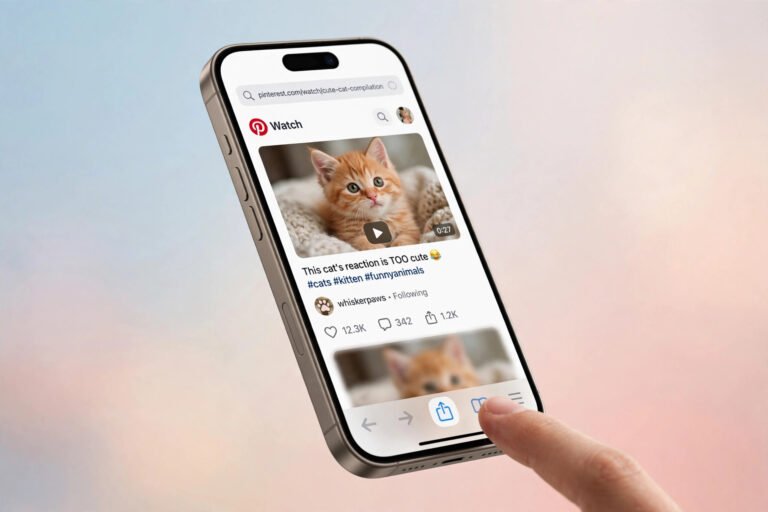
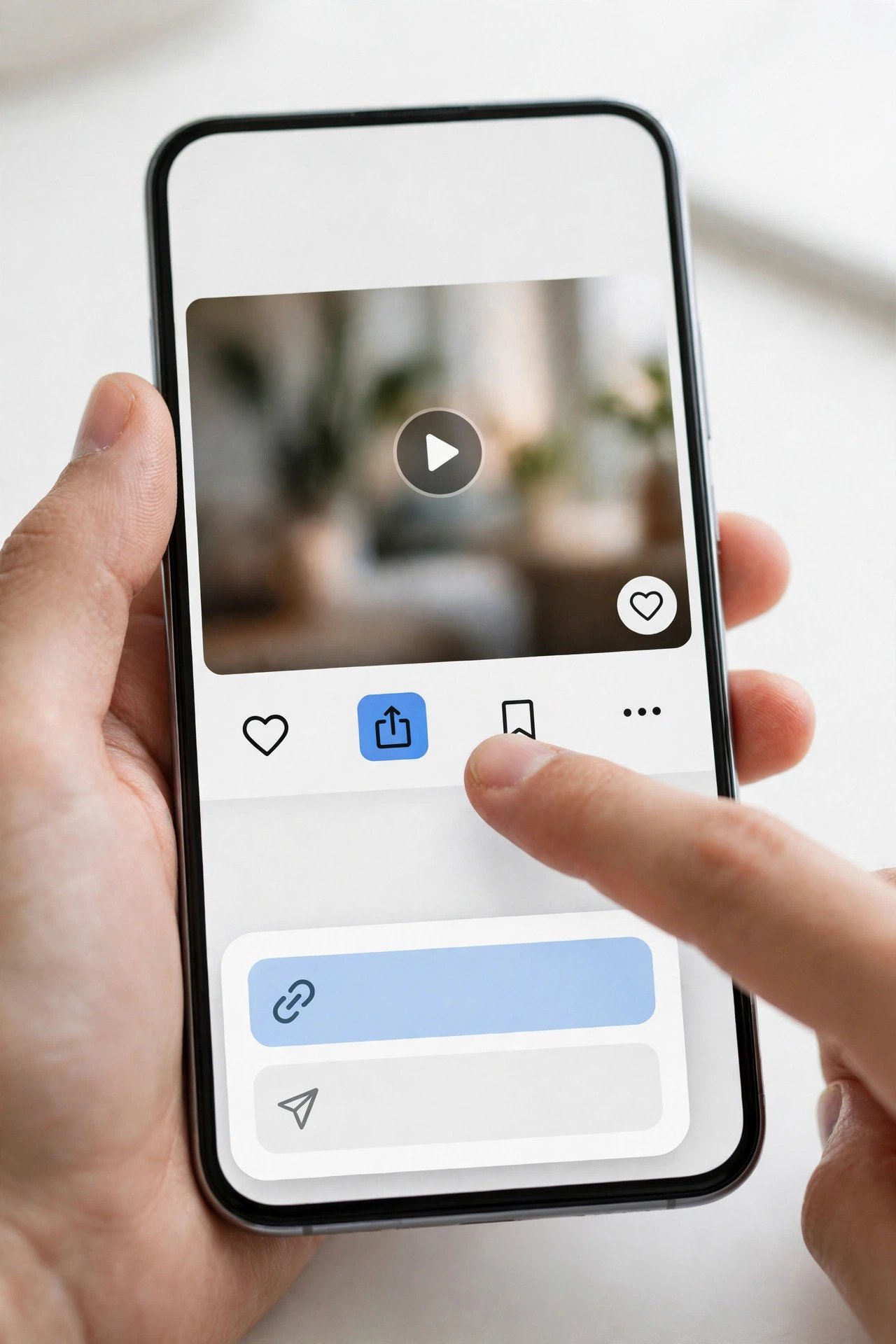
On the Pinterest app, open the video Pin full screen, tap the share icon (the arrow at the bottom), and choose Copy link. If you do not see a share icon, tap the three-dot menu — it is in there. On desktop, open the Pin and copy the address straight from the browser bar: you want pinterest.com/pin/ followed by a long run of digits.
One trap to watch for: Pinterest’s share menu likes to produce short pin.it links. Those work fine — a good downloader resolves them automatically — but if you paste a short link into a tool and it complains, paste the full pinterest.com/pin/… address instead. Both point at the same Pin.
Quick check before you move on: only public Pins can be downloaded this way. If the Pin lives on a private board, or on a secret board, no downloader can reach it. The test I use is the logged-out window test — open the Pin’s link in a browser where you are not signed in to Pinterest. If it opens there, a downloader can fetch it. If it asks you to log in, it cannot, and no tool will change that.
Step 2: Download the Video as an MP4
Open PintoDownload in your browser — phone or computer, it works the same on both — paste the Pin link into the box, and hit Download. The tool reads the Pin’s public data and hands back the actual video file Pinterest stores for it, as an MP4 with its sound, at the quality Pinterest serves. No account, no app to install, no watermark added.
This morning I ran the exact flow on a real public Pin — a DIY milk-and-honey soap video, pinterest.com/pin/653233120954325160 — and timed it. The homepage loaded in 0.95 seconds. The tool answered in 2.18 seconds and returned the MP4 straight from Pinterest’s own content server. The file downloaded in 2.78 seconds. Paste link to file on disk: under 10 seconds on a normal home connection, and the whole thing cost nothing.
Before you upload anything to Reddit, look at the file you just got. On a phone, check it in your gallery or Files app; on a computer, right-click and check Properties or Get Info. You want three things: the extension is .mp4, the size is under 1 GB, and the length is under 15 minutes. My test file was 3.9 MB and 29.23 seconds — it clears all three with a laugh. If your file is a .m3u8 playlist or a file with no extension, the tool gave you a stream playlist instead of a video, and Reddit will refuse it. Download it again from a tool that returns a real MP4.
Step 3: Pick the Right Subreddit Before You Upload
This is the step everyone skips, and it is the step that gets posts removed. Reddit is not one site — it is tens of thousands of communities, each with its own rules, and the rules are enforced by volunteer moderators who do not warn you first.
Before you upload, open the subreddit you have in mind and read its sidebar and rules. Look for four things:
- Are video posts allowed at all? Some subreddits disable native video uploads. If the “Image & Video” option is missing when you create a post there, that is why — it is not a bug, and no workaround will fix it. Post a link post instead, or pick a different community.
- Is reposting banned? Many large subreddits ban reposts outright, or ban content that has already appeared on Reddit. Search the subreddit for the video’s title or a distinctive phrase from it first. If it is already there, do not post it again — use the crosspost button on the existing post instead.
- What are the karma and account-age minimums? Subreddits rarely publish the exact numbers, but most medium and large ones require some combination of account age and karma before you can post. A brand-new account posting a video on day one will often find the post silently removed by AutoModerator. If your account is fresh, build a little history first — comment, upvote, post in smaller communities — then come back.
- Does it need flair or a specific title format? Some communities require you to pick flair (a tag like “Tutorial” or “OC”) before the post goes live, and some require titles in a set format. Missing flair is one of the most common reasons a post gets auto-removed within seconds.
And one more check that saves embarrassment: read the room. A 29-second soap video belongs in r/DIY or r/soapmaking, not in a general meme subreddit. A video posted to the wrong community gets downvoted fast, and a heavily downvoted first post can trip spam filters on your account. The right subreddit is usually the smallest one where the video is genuinely on topic.
Step 4: Upload the Video to Reddit on Desktop
Desktop is the reliable route — it is where the full 1 GB / 15-minute limits apply, and it is where you can see every option. The steps:
- Go to reddit.com and log in.
- Click Create Post at the top of the page (or the + button).
- Choose your community from the dropdown — type the subreddit name and pick it from the list. Double-check the spelling; posting to the wrong subreddit is an easy mistake and a hard one to undo gracefully.
- Pick the Image & Video post type. This is the one that uploads your file to Reddit’s servers. (The “Link” type posts a URL instead — see the comparison section below.)
- Click Upload and choose the MP4 you downloaded. Reddit will show a preview and start processing. A 4 MB file processes in seconds; a 500 MB file can take minutes. Wait for the preview to appear before you hit Post — posting while it is still processing is how videos end up with no thumbnail or no sound.
- Write your title. Put the creator’s name in it when you know it, for example “Milk and honey soap from scratch (credit: u/soapmaker on Pinterest)”. A clear, honest title outperforms clickbait on Reddit every time — the community can smell a repost from the title alone.
- Add flair if the subreddit requires it, then click Post.

After it posts, open the post in a logged-out window — or just click it and watch it play. Check three things: the video plays, it has sound, and the thumbnail is a sensible frame rather than a black screen. If the thumbnail is black, Reddit picked the first frame and your video starts on a fade-in; trim a second off the start and re-upload, or just accept it — it is cosmetic, but it costs clicks.
Step 5: Upload the Video to Reddit From the App
The mobile flow is the same idea with smaller buttons. If you downloaded the video on your phone, it is already in your gallery or Files app, so the app route is actually the faster one:
- Open the Reddit app and tap the + button at the bottom.
- Choose Image (on the app this covers video too) or Video if your version shows it separately.
- Pick your community, then select the MP4 from your gallery or Files.
- Wait for the preview. On iPhone, the video needs to be in Photos — if it landed in Files, open Files, long-press it, tap Share, then Save Video to move it into Photos first. On Android, the gallery picker can usually reach the Downloads folder directly.
- Write the title, add flair if required, and post.
Two app-specific warnings from the upload guides I read, both worth knowing. First, some older versions of the Reddit app cap uploads around 100 MB even though the official limit is 1 GB — if a file that should fit keeps failing on the app, upload it from the desktop site instead. Second, a video uploaded from the app sometimes loses its sound if the phone’s silent mode was on during the upload preview — check the preview with sound on before you post. Once you know how to save Pinterest videos to Reddit from the app, the desktop flow feels identical — same file, same limits, same credit rule.
Video Post vs Link Post vs Crosspost — Which One to Use
Reddit gives you three ways to put a Pinterest video in front of a community, and the right one depends on what you care about most: reach, credit, or safety.
A video post uploads your MP4 to Reddit’s servers. It plays inline in the feed, autoplays on scroll, and gets the most engagement by a wide margin — Reddit’s algorithm and its users both prefer native video. The downside is that the video is now a copy living on Reddit, disconnected from the creator’s Pinterest page, so you carry the responsibility of crediting the source in the title or a comment.
A link post posts the Pinterest URL itself. Reddit shows a preview card, and anyone who clicks lands on the original Pin, where the creator gets the view. Credit is automatic and perfect. The downside is reach: link posts get a fraction of the engagement of native video, because people have to leave Reddit to watch. Use this when the creator’s credit matters more than the upvotes — for example, a small creator whose work you want to support, or a subreddit with strict repost rules.
A crosspost is for a video that is already on Reddit. If someone posted the same clip to r/DIY last month and you want it in r/soapmaking, do not download and re-upload it — open the original post, hit Share, then Crosspost, and pick the new community. The crosspost links back to the original, the original poster keeps the karma, and moderators can see at a glance that it is a legitimate share rather than a repost. It is the single most moderator-friendly way to move a video between subreddits.
The Credit Rule: How to Repost Without Getting Removed
This is the part that decides whether your post survives the day. Reddit’s communities have long memories for reposted content, and the site has its own rules about it too. The short version: credit the creator, link the source, and do not pretend the work is yours.
- Link the original Pin in the first comment. Even on a video post, drop a comment immediately after posting with the Pinterest link and the creator’s name. It takes ten seconds, it answers the “source?” comment before anyone asks it, and moderators notice.
- Do not strip the watermark. If you used Pinterest’s own download button, the file carries the creator’s username as a watermark. Leave it there. Downloading a clean copy and then removing credit is exactly the behaviour that gets accounts flagged.
- Never claim it as your own. Do not title a post “I made this” when you did not. Reddit’s OC (original content) tag is for content you created. Misusing it is one of the fastest ways to get a post removed and your account reported.
- Only repost public Pins, for personal sharing. Downloading someone’s video to share it with a community is one thing; downloading it to re-upload as your own content on another platform, or to sell it, is another. Pinterest’s own help pages explain what creators can and cannot do with downloads. If you want the full legal picture, I wrote a separate guide on whether downloading Pinterest videos is legal — the short answer is that personal use is fine and commercial reuse is not.
- Check the subreddit’s repost rule before you post, every time. Rules change, moderators change, and a subreddit that allowed reposts last year may ban them now. Thirty seconds of reading saves a removal and a warning.
When Reddit Rejects Your Upload — Fixes That Work
Most upload failures come from one of five causes, and four of them have a fix that takes under a minute.
“This community doesn’t allow video posts.” The subreddit has video uploads disabled. There is no fix on your side — post a link post instead, or choose a different community. Do not try to upload the video as a GIF or an image sequence to dodge the rule; moderators treat that as evasion.
The upload spins and never finishes. Usually the file is too big for the route you are using — remember the ~100 MB cap on some older app versions — or your connection dropped mid-upload. Try the desktop site on a stable connection, and compress the file if it is anywhere near 1 GB. A 1080p Pinterest clip almost never needs compressing; a 4K screen recording of one does.
“Unsupported file type.” Reddit only takes MP4 and MOV. If your file is a .m3u8 playlist, a .webm, or a file with no extension, it came from the wrong tool. Download it again from PintoDownload and check the extension is .mp4 before you upload.
The video is longer than 15 minutes. Trim it. Most Pinterest videos are under a minute — mine was 29 seconds — but long tutorials do exist. Cut it to the best 15 minutes, or split it into parts and post part one with a link to the rest. Reddit Premium raises the cap to 30 minutes if you have it.
The post never appears. You are probably caught by the subreddit’s karma or account-age filter, or AutoModerator removed it and the removal message went to your inbox unnoticed. Check your inbox and your profile — a removed post still shows on your profile with a “removed by moderators” note. Message the moderators politely (modmail, not a public complaint post) and ask what rule it broke; most will tell you, and many will approve it manually if it was a false positive.
No sound on the posted video. The file’s audio track is fine — my test file had AAC audio and played with sound — so this is almost always a Reddit processing delay. Wait a few minutes and check again; if it is still silent after an hour, re-upload. And if you are watching on mute by habit, tap the speaker icon: Reddit mutes autoplayed videos by default, and half the “no sound” reports I have seen are just that button.
What About Pinterest Images and GIFs?
The same flow works for still images and GIFs, with two differences worth knowing. A Pinterest image downloads as a JPG or PNG, and Reddit takes those as image posts with no length limit to worry about — the only limit is file size, and a Pinterest image is never near it. If you download a lot of images, PintoDownload’s image downloader handles them one link at a time, same as video.
GIFs are the awkward case. Reddit treats an animated GIF as a video post, and caps GIF posts at 15 seconds. A Pinterest GIF longer than that will either fail or get cut. If your GIF is over 15 seconds, download it as a video file instead — most Pinterest “GIFs” are actually short MP4 clips under the hood — and post it as a regular video post, where the 15-minute limit applies instead.
Frequently Asked Questions
Can I save Pinterest videos to Reddit for free?
Yes. Downloading the video with PintoDownload is free and needs no account, and posting a video on Reddit is free too. The only paid tier involved is Reddit Premium, which raises the video length limit from 15 to 30 minutes — and almost no Pinterest video needs it.
Is it legal to post a Pinterest video on Reddit?
Sharing a public video for personal, non-commercial use — with credit and a link to the original Pin — is what millions of people do every day, and it is the normal case. Reposting someone’s work as your own, or using it commercially, is not. The full breakdown, including what Pinterest’s terms actually say, is in my guide on whether downloading Pinterest videos is legal.
Why can’t I upload a video to a subreddit?
Three usual reasons: the subreddit disabled video uploads, your account is too new or has too little karma for that community’s filter, or the file breaks a limit (over 1 GB, over 15 minutes, or not MP4/MOV). Check the subreddit’s rules first, then the file, then your inbox for a removal notice.
Does Reddit keep the video quality from Pinterest?
Mostly. Reddit re-encodes every upload, so a 1080p Pinterest clip will not look identical pixel for pixel, but the difference is small on a phone screen. What matters more is starting from the original file rather than a screen recording — a re-recorded copy loses quality twice, once at recording and once at Reddit’s re-encode.
Can I save a Pinterest video to Reddit without downloading it first?
Yes — post the Pinterest link as a link post, and Reddit will show a preview card. The video stays on Pinterest and the creator keeps the traffic. You lose the inline autoplay and most of the engagement, but it is the cleanest option for credit.
How do I crosspost a Pinterest video that is already on Reddit?
Search Reddit for the video first. If it is already posted, open that post, tap Share, choose Crosspost, pick your community, and post. The crosspost links back to the original, the original poster keeps the credit, and moderators prefer it to a fresh re-upload.
The Bottom Line
To save Pinterest videos to Reddit, you download the real file first and upload it second — there is no shortcut that skips either step, and every guide that pretends otherwise is selling you something. Copy the Pin link, paste it into PintoDownload, save the MP4, check it against Reddit’s limits (MP4, under 1 GB, under 15 minutes — my test file was 3.9 MB and 29 seconds, and it cleared everything), read the subreddit’s rules, and post it with the creator’s name in the title and the source Pin in the first comment.
Do it that way and the whole job takes under two minutes, the video plays inline with sound, and nobody in the comments has to ask where it came from — because you already told them. If you want the same trick for the next platform in the series, my guide on saving Pinterest videos to Snapchat covers the 60-second rule nobody warns you about, and the TikTok version covers what changes when the destination is vertical video first.