Best Pinterest Video Downloader Apps & Tools (2026)
If you search for the best Pinterest video downloader apps, you will find twenty-tool roundups that tested nothing. I read ten of them while rebuilding this guide, and the pattern was embarrassing: star ratings with no method, “best overall” labels handed to the author’s own tool, download counts copied from 2022, and — in one case — instructions to disable your antivirus and run a password-protected patch file. So I did the unglamorous thing instead. I ran one tool end to end with a stopwatch, I opened the real store listings for every app I name, and I left out everything I could not verify — including the entire mod-APK section this page used to promote. What follows is shorter than the old version, and every claim in it is one I can stand behind.
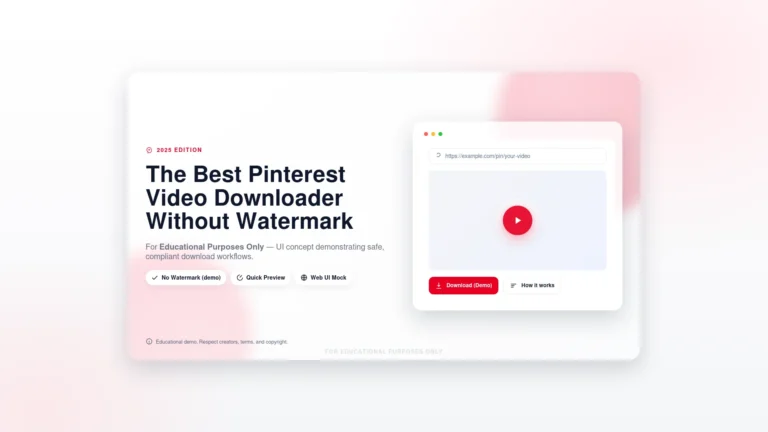
The short answer: for most people, a no-install web tool is the right pick — I tested PintoDownload on a public video pin and it returned a working MP4 link, with two honest hiccups along the way (details below). On Android, the two Play Store listings that hold up are Pinterest Video Downloader by PinKaal and Savepin. On iPhone, don’t hunt for an app — use Safari plus a web tool. For heavy desktop use, JDownloader 2 and 4K Video Downloader+ are the serious options, and yt-dlp is the one for people who live in a terminal.
How I actually tested these (and what I did not do)
One tool got a full timed run. I drove the live PintoDownload homepage through a clean browser session, pasted a public 10-second video pin, and recorded the whole thing. The input box was ready in 7.2 seconds on a fresh profile. The first two submits answered “no video found” — in 2.9 and 3.3 seconds, fast failures, not timeouts. The third try returned a 720p MP4 link in 3.3 seconds. I never found out why the first two failed; the extractor either hiccuped or wasn’t ready yet. That is worth knowing, because it is the single most useful troubleshooting fact in this guide: if a downloader says “no video found” once, retry before you conclude the pin is unavailable. The MP4 itself checked out separately (HTTP 200, 2.7 MB), and the recording below shows the full session, failures included.
Everything else in this guide is labeled for what it is: a live store or official listing I opened and read on 26 October 2026 — ratings, update dates, permission declarations — not a test I ran. No Android app was installed on a phone for this rewrite, no desktop program was installed or executed, and no download was run on any third-party tool. Any guide that claims otherwise without showing its work is selling you its own product.
The best Pinterest video downloader apps, compared
| Tool | Type | Install? | What I verified | Best for |
|---|---|---|---|---|
| PintoDownload | Web tool | No | Tested end to end: 720p MP4 in 3.3s on third try | Almost everyone |
| SavePinMedia (web) | Web tool | No | Page loads; paste-link flow described; no download run | Quick one-off saves |
| Pinterest Video Downloader by PinKaal | Android app | Yes, Play Store | Listing live: 4.61 from 14,683 ratings, free | Android, frequent saves |
| Savepin | Android app | Yes, Play Store | Listing live: 4.55 from 11,562 ratings, free | Android, simple UI |
| SavePinMedia (extension) | Chrome extension | Yes, Web Store | Listing live: v1.0, updated 8 Dec 2025, no data collection declared | Desktop Pinterest regulars |
| 4K Video Downloader+ | Desktop app | Yes, official site | Official site confirmed; free version limited, Pro $15 one-time | Quality + batch on desktop |
| JDownloader 2 | Desktop app | Yes, official site | Official site confirmed; free, open source | Bulk / power users |
| yt-dlp | Command line | Yes, GitHub | Project identity confirmed; open source | Developers, automation |

No-install web tools: the safest place to start
Here is the argument for starting here, and it is a security argument before it is a convenience one. A web tool runs in a browser tab. It cannot read your contacts, cannot sit in the background, cannot update itself into something else overnight, and you can close it and be done. An installed app can do all of those things, which is why the permission check later in this guide matters. For a video or two a week, there is no reason to give a downloader a permanent home on your phone.
PintoDownload is the tool I actually ran, and the numbers are above: a working 720p link, two transient failures first. One quality note: the tool returned a single 720p source — the quality Pinterest itself serves for that pin. Any tool promising to “upgrade” a pin to 4K is inventing pixels; if it was uploaded in 1080p, a good tool returns 1080p, and if in 720p, 720p is the honest ceiling.
SavePinMedia’s web tool is the other no-install name worth knowing: its page loads, it describes the same paste-link flow, and it states a personal-use-only rule. I did not run a download on it, so I won’t rate its speed. One yellow flag I did notice while reading it: the page itself is stuffed with junk phrases that have nothing to do with downloading (“stylish name” generators, game fonts). That doesn’t prove the tool misbehaves, but it tells you how to judge these sites — by what the tool does when you use it, never by how polished its landing page looks.
Android apps worth installing
Of the best Pinterest video downloader apps on Android, two Play Store listings survive a close read. Pinterest Video Downloader by PinKaal (4.61 from 14,683 ratings, free) does the standard copy-link, paste, download flow into your gallery for videos, photos and GIFs, with no login required — and its developer plainly states the app is not associated with Pinterest, which is more honesty than most listings offer. Savepin (4.55 from 11,562 ratings, free) is the same shape of app: paste a link, save in original quality, no account. Its “secure and private” wording is the developer’s marketing, not something I verified, and you should treat every such claim that way.
The old version of this page claimed one of these apps had “10M+ downloads.” The Play Store page I fetched showed no install count, so I am not repeating that number. When a roundup gives you a precise-sounding figure with no source, assume it was copied from an older roundup.
Before you install either, read the permissions screen (more on that below). A downloader legitimately needs storage or photos access to save a file. It does not need your contacts, your SMS, accessibility control, or your Pinterest password — ever.
iPhone: don’t hunt for an app
I am recommending no iOS app by name, deliberately. I verified no App Store Pinterest downloader for this rewrite, and the honest iPhone path doesn’t need one: open Pinterest, copy the pin link, paste it into a web tool in Safari, and the video lands in Files under Downloads. That is also the path the SavePinMedia page itself documents for iPhone users. Several roundups I read quietly do the same thing — their device tables route iPhone users to Safari plus a web tool while their headlines promise an app.
Browser extensions: convenient, but read the permission list
If you live on Pinterest in a desktop browser, an extension saves the copy-paste round trip by putting a download button on the pin itself. The one listing I verified is SavePinMedia’s Chrome extension: version 1.0, updated 8 December 2025, a tiny 22.93 KiB package, with a developer declaration of no data collection, no data sale, and no use beyond the extension’s core job. That declaration is a good sign, and it is still a declaration, not an audit.
The real cost of an extension is access: to add a button to Pinterest pages, it must be able to read those pages. Before installing any downloader extension, open its store page and read the exact permission list and the data-collection disclosure. “Read and change all your data on all websites” for a tool that only needs Pinterest is a no. So is any extension whose developer is anonymous, whose last update is years old, or whose reviews mention hijacked searches and injected ads.
Desktop software for heavy use
Desktop tools earn their install only when you download in bulk or want format control. 4K Video Downloader+ (from 4kdownload.com — type the domain yourself, don’t trust a sponsored result) is the quality-first pick: batch downloads, format conversion, smart mode, up to 8K where the source actually offers it, free version with limits, Pro around $15 one-time. Watch out for “RePack” installers carrying its name; one search result I found was literally labeled a repack, which is exactly the trap.
JDownloader 2 (from jdownloader.org) is the free, open-source workhorse: a link grabber that queues batches, resumes, and extracts archives. Its interface takes an evening to learn, and its installer history includes bundled offers — use the offers-free installer from the official download page. For developers, yt-dlp is the command-line standard: open source, enormous site support, format selection, subtitle and playlist handling — but it assumes you are comfortable in a terminal and have ffmpeg installed for merging. None of these three was installed or run for this rewrite; they are named with their official sources and their real trade-offs, not with borrowed star ratings.
The security check to run before you install anything
Most downloader roundups mention safety in one sentence and then recommend the riskiest options. Here is the check, in full, because it is the most valuable part of this page:
- Legitimate permissions for a downloader: storage or photos (to save the file), and on Android, the share-sheet or link handling so it can catch a copied link. That’s it.
- Red flags — walk away: contacts, SMS or call logs, accessibility services, device-admin rights, permission to draw over other apps, or any request for your Pinterest username and password. A downloader has no business inside your account; every tool in this guide works on public links without a login.
- Store only: install Android apps from Google Play and extensions from the Chrome Web Store, where there is at least a review process and an update channel. Sideloaded APKs skip both.
- Mod and “premium unlocked” APKs are the highest-risk choice, full stop. The old version of this page listed a parade of them — mod, pro, premium, “4K/8K ready” builds with no developer, no store page, and no update mechanism. A modified app can contain anything, and “no ads, everything unlocked, completely free” is precisely the bait that makes people install it. I found no verifiable official listing for a single one of those names, so none of them appears in the table above. If a roundup recommends a mod APK and also tells you to disable your antivirus to install something, close the tab.
- Reposts are a separate question from downloads. Saving a video for your own offline viewing is one thing; reposting someone else’s work, monetizing it, or claiming it as yours is another. Downloading does not transfer any rights. Credit the creator, and get permission before any public or commercial reuse. Pinterest’s own help pages confirm the basics of how saving and sharing work on the platform — start there if you’re unsure: Pinterest Help.
Private pins, boards, and 4K: honest limits
Three claims you will see everywhere, answered plainly. Private pins: no-login tools work on public links only. If a pin is private or restricted, a tool that promises to fetch it anyway is either lying or asking you to hand over account access — both are reasons to leave. Whole boards: web tools and phone apps generally do one pin at a time; batch board downloads are a desktop job (JDownloader 2, 4K Video Downloader+), and even then only for pins you can already view. 4K: a tool can only return the quality Pinterest serves. My test pin came back as a single 720p file, which is what Pinterest had for it. “4K downloader” is a feature label, not a promise about any particular pin.
Frequently asked questions
Is it legal to use a Pinterest video downloader?
For personal, private, offline viewing, downloading a public pin is generally treated as acceptable — but it does not give you any rights over the content. Reposting, monetizing, or claiming someone else’s video as your own requires the creator’s permission.
Which of the best Pinterest video downloader apps is best for Android?
Between the two Play Store listings I verified, PinKaal’s Pinterest Video Downloader has the higher rating and the larger rating count (4.61 from 14,683 ratings versus Savepin’s 4.55 from 11,562). Either does the same copy-link job; pick the one whose permission screen you are comfortable with, and skip any app that asks for more than storage access.
Do I need to install anything to download a Pinterest video?
No. A web tool like PintoDownload works in any browser on any device with no install and no account. Install an app or extension only if you download often enough for the convenience to matter.
Why did my download fail with “no video found”?
It may be transient. In my timed test, the same public pin failed twice and then succeeded on the third try with no change to the link. Retry once or twice first. If it keeps failing, check the pin still plays on Pinterest, re-copy the link (make sure it starts with pinterest.com or pin.it), and try another browser. If the pin is private or deleted, no tool will fetch it — see our fixes guide.
Can I download an entire Pinterest board at once?
Not with a web tool or phone app — those are one pin at a time. Board and batch downloads are desktop-software territory (JDownloader 2 or 4K Video Downloader+), and only for pins you can already view.
Can I download Pinterest videos on iPhone?
Yes, without an app: copy the pin link in the Pinterest app, paste it into a web tool in Safari, and the video saves to Files under Downloads. See also our PC guide and gallery guide, plus the GIF downloader guide.
So, to close the loop on the best Pinterest video downloader apps: start with a web tool and stay there unless you have a real reason to install something. If you do install, install from the official store, read the permission screen like it matters — because it does — and never trade your account credentials or your antivirus for a “premium unlocked” promise. The old version of this page got that backwards, recommending the riskiest options first. This one doesn’t. For everything else about saving pins, start at the PintoDownload homepage or the image downloader if it’s a photo you need.