Pinterest Video Downloaders for Business (2026 Guide)
If you run a business and you are researching pinterest video downloaders for business, here is the uncomfortable truth up front: the tool is the easy part, and it is not where businesses get into trouble. Fetching a file takes seconds; deciding what your company may do with that file afterwards is the whole job — and most guides skip it, because “ask permission and keep the paperwork” does not sell downloader tools. This guide does the boring part properly: Pinterest’s own rules, what copyright law actually cares about, a real test with real numbers, and a workflow your team can follow without a lawyer on speed dial. One disclaimer: this is general information, not legal advice — get a lawyer to review any specific campaign involving someone else’s footage before you publish.
Pinterest video downloaders for business: the 3-bucket rule
Every video your team touches falls into exactly one of three buckets, and the bucket decides everything. Get it wrong and nothing else — credit, editing, good intentions — fixes it.
| Bucket | What it means | What your business may do |
|---|---|---|
| 1. Your own video | Your team shot it, or you commissioned it and own the rights. | Download, repost, cut, run it in ads. It is yours — but keep the original project file and upload record anyway. |
| 2. Licensed video | You paid for a licence, or the creator released it under terms that cover your use. | Use it only inside the licence: the channels, territory, duration and edits it allows. A blog-post licence is not a paid-ad licence, and a “free” clip with a non-commercial clause is not free for your business. |
| 3. Someone else’s video, no licence | Everything else on Pinterest. This is most of Pinterest. | Internal reference only — mood boards, competitor benchmarking, a stakeholder deck that never leaves the building. Any public or marketing use needs written permission covering the exact use. |
That third bucket is where the arguments start: people confuse “I can see it” with “I can use it”, and “I gave credit” with “I got permission”. The next section quotes the actual rules, because neither confusion survives contact with them.
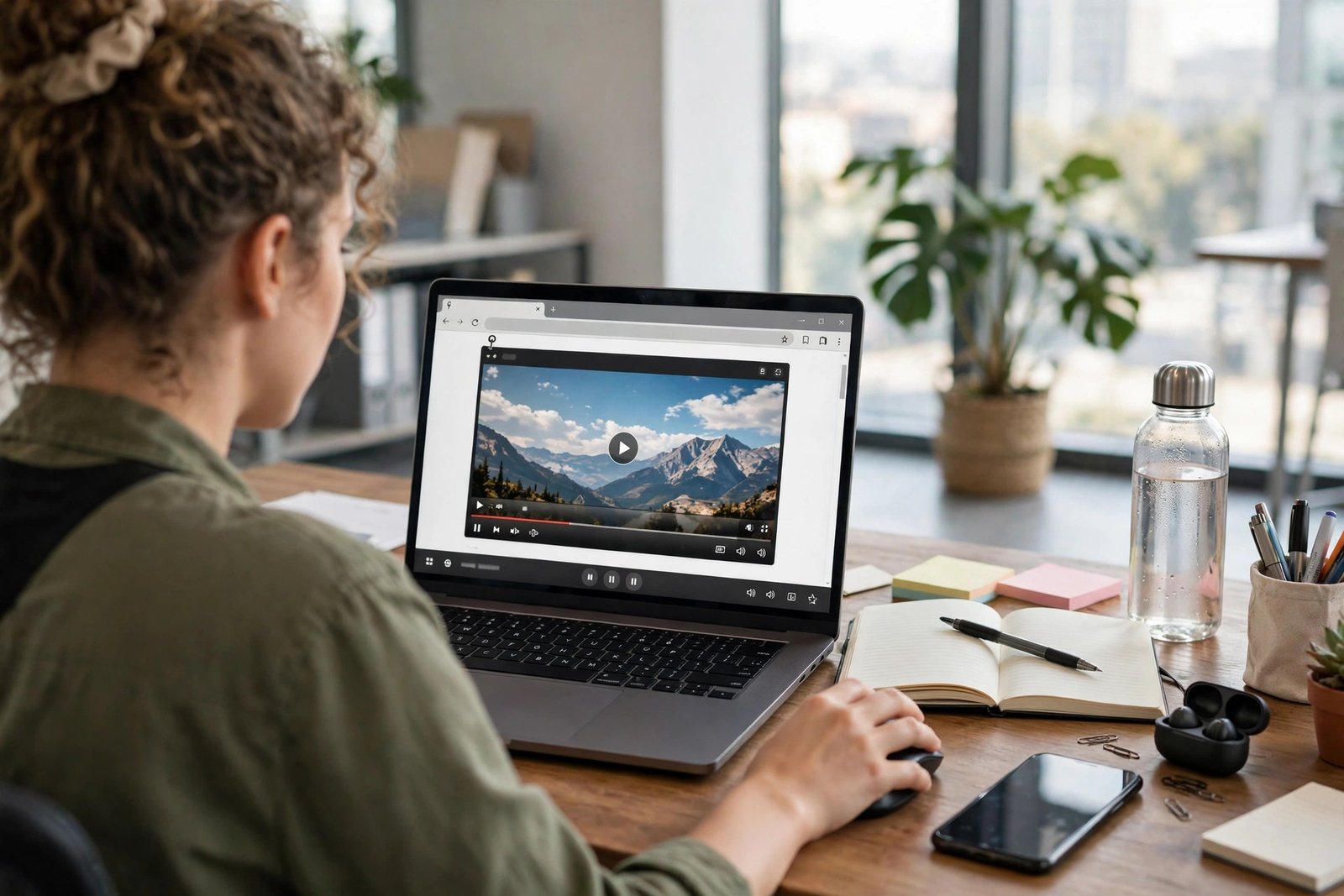
What Pinterest’s own rules actually say
I read Pinterest’s Terms of Service and Business Terms of Service on 26 October 2026. The relevant language is much sharper than the summaries you usually see; four points matter for a business:
First, commercial use requires a business account. Section 2(c) says: “If you want to use Pinterest for commercial purposes, you must create a business account and agree to our Business Terms of Service.” Sponsored or branded content — anything a partner paid or incentivised you to post, or anything commercial in nature — is additionally subject to Pinterest’s Commercial and Branded Content Guidelines. Running business activity through a personal account is not a shortcut; it is a terms violation from day one.
Second, the licence Pinterest gives you is narrow. Section 2(b) grants users only a “limited, non-exclusive, non-transferable, non-sublicensable and revocable licence to access and use the Service” under the Terms. Limited and revocable are doing heavy work there; nothing in it grants you rights over other people’s videos.
Third, creators keep their rights, and the platform licence is not your licence. Section 3(a) says users “retain all rights in” the content they post. Section 3(b) then grants Pinterest, its affiliates and service providers, and its users a licence to use, store, display, reproduce, save, modify, create derivative works, monetise, download and distribute that content — but “on Pinterest, including for the purpose of promoting and redistributing part or all of the Pinterest Service.” Read that last clause twice: it is a licence for operating Pinterest, not for your business to take someone’s video off Pinterest and run it in your ads. Several guides I read paraphrase this paragraph into something it does not say.
Fourth, unauthorised collection is itself a breach. Section 2(a) says you agree “not to scrape, collect, search, copy or otherwise access data or content from Pinterest in unauthorised ways, such as by using automated means (without our express prior permission),” and that “any use of Pinterest not expressly permitted by these Terms is a breach of these Terms and may violate copyright, trademark and other laws.” Bulk-scraping boards with automation is not a grey area under these terms; it is expressly the thing they prohibit. And under section 3(f) of the Business Terms, Pinterest can suspend or terminate accounts of users who repeatedly or seriously infringe third-party intellectual property rights.
Timing note: the Terms page I read previews an update effective 12 November 2026, so re-check the policy page before building a process on it, and keep a dated copy of the version you relied on.
Copyright in plain language, applied to video
Copyright in a video arises automatically the moment it is created — no registration or stamp needed — and a video being publicly visible on Pinterest changes nothing about that. The maker owns it unless they transferred the rights in writing or licensed them to you.
Three misconceptions do most of the damage. Credit is not permission. Crediting the creator is good practice after you have permission; on its own it is not a defence, and in a dispute it can prove you knew whose work it was. The pinner is usually not the owner. The account that pinned a video very often re-pinned it from somewhere else, so its permission is worthless unless it actually holds the rights — follow the pin to its source, check the creator’s own channel or site, and if the chain of ownership goes cold, walk away. Editing does not launder a video. Cropping, adding your logo or trimming ten seconds does not make someone else’s video yours, and removing a watermark can additionally implicate the U.S. rules against removing copyright-management information (17 U.S.C. § 1202).
What about fair use? Under U.S. law (17 U.S.C. § 107) courts weigh four factors: purpose, nature of the work, amount used, and effect on the market for the original. For a business, nearly every factor leans the wrong way: the purpose is commercial, the amount used is usually the whole video, and reusing it substitutes for licensing it — the factor courts care about most. Fair use is a defence you raise after a claim, not a permission slip you show beforehand — and rules differ by country, so a U.S.-based explainer is not a worldwide clearance.
Finally, a video has more than one layer of rights. The footage is one; recognisable people in it are a second — using someone’s face in an ad can need their separate consent under publicity rights, even if the videographer said yes; the music track is a third. Clearing one layer and assuming the others is how a fully licensed-looking campaign ends up pulled. AI-generated video adds a fourth uncertainty: who owns an AI clip, and whether it is protected at all, is still unsettled, so do not treat “AI made it” as “nobody owns it”.
What I actually tested
This is the part most guides about pinterest video downloaders for business skip: they never show the tool working. I ran the tool on PintoDownload’s homepage twice on 26 October 2026, using the same public 10-second test pin both times, driven through a real browser with a genuine click to wake the page’s deferred scripts first. The recording below is the real thing — including the test browser’s warning bar, left in rather than cropped out.
| Run | Input ready | Submit to download link | Result |
|---|---|---|---|
| Run 1 | 3.4 seconds | 5.5 seconds | 1 link, 720p MP4 |
| Run 2 | 2.9 seconds | 3.9 seconds | 1 link, same 720p MP4 |
The returned file checks out: HTTP 200, video/mp4, 2,852,371 bytes (2.7 MB) for a 10.17-second clip — about 16 MB per minute at 720p. Note the tool returned a single 720p source, not a quality menu; anyone promising 4K from a 720p source is inventing pixels. More important for this guide: a fast, successful fetch proves nothing about rights. The test answers “does the tool work on a public pin” — it does, twice, in under six seconds. It does not answer “may my business publish this”, and no tool test ever will. That question is answered by the 3-bucket rule, not by a download button.
What I did not test, and will say so plainly: private or secret-board pins, deleted pins, login-only pins, and board or bulk downloads were not run, because a business guide should not route staff around privacy controls. If a pin is private, deleted or login-only, it is out of scope — full stop. If the tool ever answers “no video found” on a public pin, retry once or twice first; in earlier testing on this same tool, one throttled run failed fast that way and then succeeded on a clean retry, for a cause never proven.
The lawful workflow, step by step
A lawful workflow for pinterest video downloaders for business looks boring on purpose. Boring is what keeps a campaign out of a takedown queue.
Step 1 — Use a business account. Commercial work goes through a business account under the Business Terms. Personal accounts for business activity, shared team logins, and “just this once” exceptions are how governance dies.
Step 2 — Find the true owner. Click through to the source. If the pin links to a creator’s site, channel or shop, that is your counterparty. If the trail ends at a re-pin with no identifiable creator, the video is reference-only — never accept permission from an account that merely pinned it.
Step 3 — Ask in writing, with scope. A message that just says “can we use your video?” is a future dispute with a friendly opening line. Ask for, and file, the specifics: which channels (Pinterest only? Instagram? paid ads? your website?), how long, whether edits are allowed, what credit line they want, and whether there is a fee. “No” or silence on any of them means you do not have permission for that use.
Step 4 — File it where the next person can find it. Keep a simple permission log: video, owner, date granted, scope, expiry, and where the written permission lives. Label every file in your shared library with its bucket, and limit the library to people who know what those labels mean. The most common real-world failure is not malice; it is a new hire finding an unlabelled file and assuming the company made it.
Step 5 — Publish with credit, and diary the expiry. Credit the creator in the form they asked for, even when the permission did not require it — it costs nothing, and it is why creators say yes a second time. When a permission expires, the video comes down. “We forgot it expired” is not a defence anyone will enjoy explaining.
Step 6 — For user-generated content, the same rules apply. A customer posting a video featuring your product has not given you a marketing licence by posting it. Ask them in writing, with the same scope questions, and thank them properly. Respected creators become repeat collaborators; creators who find their video in your ad unasked become cautionary tales about your brand.
When downloading is the wrong move: lawful alternatives
Half the time a team reaches for a downloader, a lawful alternative does the job better. Save to a board instead of exporting a file — Pinterest’s Save is a bookmark, not a download, and it keeps the content where the creator chose to put it. Link to or embed the original Pin in a post or deck — the audience sees the video, the creator keeps the traffic and attribution, and you took nothing. Commission an original video in the style you admired: study the pacing, the transitions, the hook, then shoot your own version with your own product and people. That is the move the best brands make, because the result is an asset they own forever. Or license stock video from a library whose terms you have read — checking whether the licence is royalty-free or rights-managed, and whether it covers commercial use at all. A Creative Commons BY-NC licence, for example, expressly blocks commercial use, which surprises people every single week.

What actually happens if you get it wrong
Guides love to end the legal section at “could lead to copyright issues”. Here is what that phrase hides, in the order it usually happens. First, a DMCA takedown notice removes the content where you posted it. A counter-notice is possible if the removal was wrong, but then the complainant has roughly 10–14 business days to file suit or the content is restored — a clock most marketing teams do not want to watch. Second, repeat infringement can cost the account itself: Pinterest’s Business Terms allow suspension or termination for repeat or serious IP infringers, so one careless campaign habit can take down the account your whole content programme runs on. Third, the money: under U.S. law, statutory damages run from $750 to $30,000 per work, up to $150,000 if wilful (17 U.S.C. § 504), plus possible injunctions and fees — with a registration catch, since statutory damages and fees generally require timely registration. I am quoting published ranges, not predicting any outcome; the point is that “we only used one video” is not the small number people assume. Fourth, the practical cost nobody budgets for: pulling a live campaign, re-shooting or re-licensing under time pressure at a premium, and explaining the takedown to a client or a boss. The permission email in step 3 takes ten minutes; the alternative takes weeks.
Frequently asked questions
Do we need a Pinterest business account to use Pinterest video downloaders for business?
Yes. Pinterest’s Terms require a business account, under the Business Terms of Service, for commercial use. If your activity is business activity, run it through a business account.
Can we download a competitor’s video to study it?
For internal benchmarking — watching it, noting the format, the hook, the pacing — kept inside the company and never republished, that is the classic legitimate internal use. The moment it leaves the building, in a client deck, a post, or an ad, you need permission or you leave it out.
Can we repost user-generated content that features our product?
Only with the poster’s written permission, covering the channels and duration you want. Credit them, thank them, and file it. “They posted it publicly” is not consent to use it in your marketing.
What if the creator never replies to a permission request?
Silence is not permission. Use a lawful alternative: link to the original Pin, Save it to a board, or commission your own version. Repeated follow-ups do not improve the legal position either.
Is it safe to use a downloaded Pinterest video in an ad if we credit the creator?
No. Credit is not permission, and ads are the highest-risk use: commercial purpose, public distribution, and usually the whole video. An ad needs a licence or written permission, full stop.
Sources
This guide’s legal claims rest on documents you can check yourself: Pinterest’s Terms of Service (§§ 2(a)–(c), 3(a)–(b) and 4, read 26 October 2026; an update is previewed effective 12 November 2026) and Pinterest’s Business Terms of Service (§§ 2(a)–(b), 3(a)–(b), 3(f) and 6). The U.S. copyright figures cited are from 17 U.S.C. §§ 107, 1202 and 504. For the tool itself, see PintoDownload; related guides cover whether downloading Pinterest videos is legal, videos not downloading, saving videos to your gallery, and the Pinterest image downloader.
General information only, not legal advice. Pinterest’s terms change — re-check the policy pages before relying on them, and get a lawyer for any specific campaign involving someone else’s footage.